Maintenance Team Quick Start

MAINTENANCE

Download the App

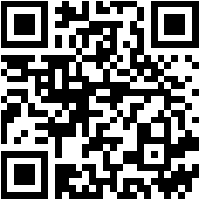
iOS QR
iOS
Scan to download PropertyPlex Or search "PropertyPlex" on the App Store or Google Play.
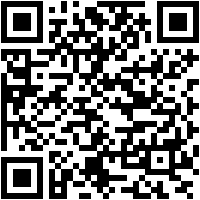
Android QR
Android

Log In

  1. Open the app and enter your Company Code
  2. Enter your email and password
  3. You'll land on the Maintenance Dashboard

Your Login Details

A temporary password has been created for you. You're welcome to keep it or change it anytime from your account settings.

Daily Workflow

  1. Check your dashboard for new and assigned work orders
  2. Claim open work orders assigned to you or unassigned
  3. Start Work when you begin the task
  4. Add photos before and after the repair (optional)
  5. Mark Complete with notes when finished

Key Features

  1. Work Orders — View, claim, and complete tasks
  2. Assets — Look up equipment details and history
  3. AI Scanner — Scan equipment labels to auto-fill asset info
  4. Photos — Attach photos to work orders
  5. Offline Mode — App works without internet, syncs when reconnected

Work Order Priorities

Low Normal High Urgent Out of Order
Tip: Tap the microphone icon on description fields to use voice-to-text instead of typing. The app translates work orders to your language automatically.